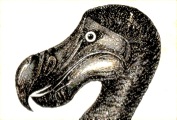
There are many programming languages today, each with unique features and available on a variety of platforms. Dodo aims at exploring new paths, or at least to include features in a combination never seen before.
My intention is not to code away right yet. I would like to start with deciding what should or should not go into the language, with the focus on exploring new and rare ideas.
Other objectives of dodo are
Dodo programs are organised in a series of text files pertaining to one of the following categories
      __Module__ modulename
      __Header__
      [...header code...]
      __Main__
      [...source code...]
      __Library__ libraryname (version: "versionnumber")
      [...library...]
The main ingredients of a program are statements and expressions. At the top level a program contains only declarative statements. Both statements and expressions can be used inside a function block. However a statement cannot be used in place of an expression where an expression is expected. Declarative statements are of the general form:
      Type name[(Type, ...) -> Type], ...
      Type name[(Type parameter [= value][, ...], ...) -> return(Type)] block | = value
Examples of declarative statements are:
      use rand
      int x = 36
      def format(Pattern, Date) -> String
      Date today, tomorrow
The use statement imports declarations from a module or a library into the current context. Conversely, the export statement exports the declaration or module that follows. It is used in library files. Note that loading a module or library (dynamic linking) is not done with use, in contrast with Java import statement.
A function can be defined with a simple expression or with a function body. For example, the following two declarations are equivalent:
      def halfSquare1(int a) -> return(int) {
         return a * a / 2
      }
      def halfSquare2(int a) -> return(int) = a * a / 2
Several statements can be written on the same line. The separator is semicolon. The semicolon at the end of a line is optional. Multiline statements can only be broken up at specific places, eg. after an opening bracket.
The program can contain comments introduced with the hash character. Multi-line comments start with three dashes and end with three pluses:
      #--- Multi-line comment +++
      # Single-line comment
Function and type documentation uses the AsciiDoctor syntax inside a multi-line string.
A block is delimited with C-style curly braces or with a colon and a period. The ending period should always be followed with white space:
      {
         # C-style block
      }

      :
         # Dodo-style block
      .
Both styles of blocks can be used interchangeably, however an opening brace always closes with a brace and a colon always closes with a period. It is considered good style to use only one style of block in the same file or to alternate one style with the other.
Dodo is a strongly typed language and types play an important role in the language. Dodo is object-oriented, prototype-based and statically typed. It offers various techniques to improve reuse and the separation of concerns.
If the declaration has an initial value of the same type, it is not necessary to specify the type. The keyword def is a shortcut that avoids naming the type explicitely, as in:
      def x = 36  #x of type int
      def prettyHouse = House(5, blue, white)  #prettyHouse of type House
A class of objects describes the properties and operations common to all the objects that are part of it. Additionally it describes how to create an object of this class. The method to create an object is called a constructor. It is introduced with "make" followed by a name which is only used by the debugger. The created object is called an instance of the class.
For example:
      class House
      {
         Door entryDoor
         Window[] windows
         Colour roofColour, wallColour

         __DOC
            "== make withWindowsAndColours
            "Constructor: make a house
            "
            "int windowCount        :: the number of windows
            "Colour roofCol = red   :: the colour of the roof
            "Colour wallCol = white :: the colour of the walls
            ""
         make withWindowsAndColours(int, Colour?, Colour?)

         __DOC
            "== draw
            "Draw the house
            "
            "Canvas canvas   :: the support to draw on
            "return(Drawing) :: the final drawing
            ""
         def draw(Canvas) -> Drawing
      }
The constructor constructs the object by initialising the class attributes using the provided values or default values. After the attributes are initialised they never change, except for special cases detailed later.
The example above shows a function draw that has a parameter of type Canvas. A function has a return value which depends on the arguments provided, however it normally returns always the same value if it is provided the same arguments.
Note that any attribute, like entryDoor or windows in the example above, can be either a function or a value. That is different from a function with no arguments which is not considered an attribute.
The general syntax for a class declaration is:
      prototype ClassName [= new ParentClass[(attribute: value, ...)]] [is Feature, ...]
      {
         [...links...]
         [...attributes...]
         [...rules...]
         [...constructors...]
         [...functions...]
         [...methods...]
         [...states...]
      }
There are several things that need explanation here. The prototype is an object that is used as base to build an instance of the class. In the previous example the prototype was class. You can use def instead if no prototype is required. If you want your class to inherit properties and operations from another class, making effectively a more specialised version of it, specify it as parent class.
A feature can be listed to add qualities to the class that are the same for all classes that have that feature. For example the feature Motorised could add the attributes engine, wheels and speed to the class.
Links are similar to attributes but an attribute is part of the object while a link denote a relationship between two classes. For example, the entry door is a part of a house. On the other hand we could add a link between the class House and the class Child, to denote that one or more children inhabit this house.
A constructor is like a function which role is to initialise the attributes of the object. A constructor starts with "make" and has no return value.
Methods are similar to functions. But they can modify the attributes of the class and their arguments. Also, a method can have several versions each with a different set of parameters. The language considers methods more like objects than like functions.
Finally, attributes, functions and methods can be grouped inside a state block. The state of the object can vary when a transition occurs.
For example, the house could have for states "inPlanning", "hasWindows" and "hasColours" which correspond respectively to the project of a house, a house with a door and windows and a house with a door, windows and a colour for the roof and the walls. Then draw would be available for a house in the state "hasWindows" or "hasColours", while paint would only be available in the latter state.
It is possible to define an attribute or a function that is not specific to a single instance, but rather to a class. The attribute can be overloaded in a subclass. The syntax for a class attribute is the same as for an instance attribute, except that it is preceded with the class name:
      Type Class.name[(Type, ...) -> Type], ...
      Type Class.name[(...parameters...) -> return(Type)] block | =value
A common use for class attributes is to define factory functions. These are like constructors except that they have no side effects and can be used in functions. The convention in dodo is that factory function names start with new and contain a description of the parameters, for example:
      def House.newWithWindows(int wc, Colour wallCol = white, roofCol = red) -> return(Self):
         def wind = Window[].newWithSize(wc)
         return new instance(windows: wind, wallColour: wallCol, roofColour: roofCol)
      .
Here only the first parameter is described in the name because the roof and the wall colours have a default value and are optional. Self is a special type that represents the type of the class (House in that example). It can be used only as return type.
Class attributes are independent of the state. If they are declared outside the block of the class they cannot access any private function of the class.
A type template allows to define a generic type. A generic type takes on one or more type parameters to make an effective type. For example a type template for a list could be:
      template(itemType: $T)
      class List
      {
         T head
         List(<itemType: T>) tail
      }
An example of effective List type is:
      def HouseList = new List(itemType: House)
      HouseList houses  #a list of Houses
Or in short form:
List(<itemType: House>) houses #a list of Houses
A generic type can also be built with class attributes, then its parameters are not types.
The ~ operator and the case match construct can be used to match a type to a specific type pattern. For example:
      class Building is Abstract
      def House = new Building: int House.windowCount; Colour House.wallCol.
      def EiffelTower = new Building: def height -> get(meters) = 325.0.
      def School = new Building: String School.name.

      Building building = House(<windowCount: 6, wallCol: green>)()

      case match (building):
         ?House(wallCol: $colour) =>
            return "The "(colour)" house"
         ?EiffelTower =>
            return "The Eiffel Tower"
         ?School(name: $name) =>
            return "The "(name)" school"
         ?Building =>
            return "Any other building"
      .
A class inherits all the attributes, operations and internal classes of its parent class. There is no need to declare them again. In dodo there can be only one parent class.
Features are inherited except for the Abstract feature (by definition).
Because the inherited class has the same interface as its parent class, it can be used anywhere an object of the parent class is expected. This enables polymorphism when the type is Polymorphic.
Each non-abstract class has a default instance. The default instance of the class provides a value for attributes and an implementation for functions and methods. If the prototype is not specified in the class declaration, the default instance of the parent class is used as base.
If an attribute is redefined its type must match exactly that of the same attribute in the parent class. If a function is redefined it must accept all the arguments that the original function accepts and return only values that the original function could return. In practice the types must be the same as the original function, or the parameter type can be a parent class of the original and the return type can inherit from the original.
If a variable was already defined, its name must be preceded with ^ where it is redefined. That assures the compiler that you really want to override the variable. The same applies to functions and methods.
A feature helps to add specific qualities to various types. For example, if you want to define a Inhabited feature which can be applied to the house you could write:
      feature Inhabited
      {
         Link(<with: People[]>) inhabitants
      }
Unfortunately, the first version of Inhabited does not know how to draw its inhabitants. This new version overrides the draw function in House to draw the inhabitants in addition to the house:
      feature Inhabited
      {
         Link(<with: People[]>) inhabitants

         def ^draw(Canvas canvas):
            Drawing result = super.draw(canvas)
            loop foreach (inhabitant in inhabitants)
            {
               .result = inhabitant.draw(result) #Drawing can act as Canvas
            }
            return result
         .
      }
It is also possible to add instructions before and after a selection of functions using wrap selector. For example, this feature prints the function name and the number of arguments:
template(to: $output) feature Tracing { wrap selector (sel): $function(...$argument) { output.Puts("Calling "(function)" * "(argument.count)) try: return sel.eval . output.Puts("Finished "(function)) } . }
Dodo allows to add features to a variable or a type by overriding its declaration. The qualification is effective from its declaration until the end of the current scope. Trying to add an existing feature has no effect. Variables which were added features are a different type from the original variable. The general form of declaration overriding to add features is:
      def ^variable is Feature, ...
      |
      def ^Type is Feature, ...
If the variable or type is not compatible with the feature, an error is thrown. Features can be added to a function parameter where the function is defined.
An object can have different properties depending on its state. Instead of relying on a state attribute to decide the outcome of operations, dodo lets you define different states with each its own set of attributes, functions, rules etc. A state can be further split into substates, usually as a result of adding features or Inheritance.
The default state is the first state declared.
Constructors can be part of a state, but the same constructor cannot appear in more than one state block. If the construtcor is declared outside of a state block, then it is part of the default state.
Attributes and methods that are defined out of a state block are available in every state. The syntax of a state block is:
      __state [parentstate.]statename =>
      [...transitions...]
      [...links...]
      [...attributes...]
      [...rules...]
      [...constructors...]
      [...functions...]
      [...methods...]
The transition from one state to the other can be caused by a transition function or a validation rule for state. If the object is Tagged a transition function returns a copy of the object in the specified state. The constructors must be inside a state block and they can be called in another state method if the object is mutable. For example:
      __state closed =>
      make closeSchool()
      {
         .self.alarm = enabled
      }

      def open -> get(Self'open)

      __state open =>
      method Close()
      {
         gates.Shut()
         Self'closed()
      }
The object takes the value of the copy when the transition constructor terminates. If a transition constructor is called inside a method of the object, all operations that follow must be defined in the new state. The same applies if the method modifies the state through a validation rule and Validate().
Validation rules can be defined to keep the object in a coherent state. When the attributes of the object are set, the rules are applied before copying the attributes to the object. The syntax of a rule is:
attribute = expression
The attribute is updated when an attribute that appears in the expression is set. For example:
      rules
      {
         # Centre automatically
         left = (screen.width - width) / 2
         right = (screen.width + width) / 2 - 1
         width = right - left + 1
      }
These rules calculate left and right if either screen or width changes, and width if either left or right changes. On the other hand, left and right can be set independently of each other.
The expression fail() causes the rule to fail with ValidationException. The special rule autovalidate = false informs dodo that rules should not be enforced automatically when attributes are set. It can be set globally:
      rules:
         autovalidate = false
      .
It can also be set for a single time when deriving a prototype:
def blueNotes = new notes(autovalidate: true, paperColour: blue, width: 40)
Autovalidation does not occur when an attribute of a Mutable variable is set. To apply the validation rules, use Validate():
      .child.lastName = "Thomson"
child.Validate()A link denotes a relationship between two or more objects. A link declaration is written:
      Link(<with: TargetType>) targetObject  #one-to-one relationship
      Link(<with: TargetType[count]>) targetList  #one-to-many relationship
If count is omitted there can be any number of items in the list.
Access to the linked object is done through targetObject, or targetList[index] in case of a one-to-many relationship. Operations on the linked object are prefixed with link!, to distinguish from operations on the link itself.
A link can be active or passive, and operations can only be used on an active link. At creation time the link is active. When the link is stored in a separate variable it becomes passive. Use Activate() and Deactivate() to alternate between active and passive status.
You can also set up a bidirectional relationship with Bilink:
      Bilink(<with: TargetType, reverse: sourceObject>) targetObject
      def sourceObject = targetObject.sourceObject   #link to source
When the target object changes, the reverse link is updated to point to the source object.
A Relationship object can be used as in-between for a relationship between several objects. The relationship behaves like a map between a relation name and an object. For example:
      Relationship hub
      *hub[targetObject] = target
An existing non-linked object cannot be referenced by a link, but you can assign an existing link value to the link. That way both links point to the same object.
Along this document, you may have noticed in the examples that some types start with a lower case letter and some with upper case. Dodo makes the distinction between lower case and upper case. In fact, this is very much a part of the language. The convention is the following: types starting with upper case are classes. Types starting with lower case are prototypes.
What is a prototype? It is an object that can be used to instantiate other objects. All named objects in dodo are prototypes. By default, instantiating an object from a prototype creates a word-for-word copy of the prototype object. Of course that is of little use, so you can customise your instance using a very similar syntax to classes.
For example:
      def prettyHouse = House(5, blue, white)

      def school = new prettyHouse(wallColour: lime)
      {
         Playground playground
         Bell bell

         __state open =>
            def close -> get(Self'closed)

            method Play: make game(&Child[], Area?)
               def played => Game.

         __state closed =>
            def open -> get(Self'open)
      }
In the first line we create an instance of House called prettyHouse. Now that object can be used as a prototype for the school object, which is just like prettyHouse except that its walls are painted lime instead of white, it has a playground for the children and a bell to ring the classes. Also when the school is open the children can play in the playground.
The general syntax of a prototype instantiation is:
      new prototype[(attribute: value, ...)]
      [{
         [...links...]
         [...attributes...]
         [...rules...]
         [...functions...]
         [...methods...]
         [...states...]
      }]
As a reminder, a dodo function is designed to return a value in function of its inputs. It does not have any side effects (there are exceptions). On the other hand methods are allowed side effects and they don't have a return value as such. This chapter describes some advanced topics related to methods and functions.
Normally a function call invokes the function defined in the class of this specific object. However sometimes we really want to look at the type of the arguments of the function to decide what to do. Instead of testing the type of the arguments in the code, you can use multiple dispatch to let dodo do the matching for you.
To use multiple dispatch you define additional functions with the same name, where the type of the parameter is replaced with one of its subclasses prefixed with "^". So if the function is:
def function(ParamType, ...) -> Type
Another declaration that adds multiple dispatch would be:
      def function(^Subtype arg1, ...) -> return(Type)
      {
         ...instructions...
      }
where Subtype inherits from ParamType. If the argument to the function matches Subtype the second declaration will be used, otherwise the first declaration will be used.
For example:
      def draw(Canvas canvas) -> return(Drawing):
         #Draw with pencils
      .

      def draw(^Blackboard board) -> return(Drawing):
         #Draw using chalk
      .
Note that multiple dispatch is particularly useful when the operation varies depending on more than one parameter type. The subtype can also be replaced with special type Self in subclasses or with an interval of values.
An object of a specific type can assume the role of another type if a conversion is defined for it. The general syntax of a conversion is:
def conversion => return(Type) block | = valueLike functions, conversions cannot use methods and always return the same value. For example, let us define a conversion that will tell a description of the house wherever an instance is used as text:
      def HouseStory = new House
      {
         __DOC
            "== tell
            "Converts to a String
            "
            "return(String) :: A description of the house for the attentive reader.
            ""
         def tell => return(String):
            String description = "A house with %i windows, a %s roof and %s walls"
            return description.sprintf(windows.count, roofColour, wallColour)
         .
      }
The return keyword is used in functions and conversions to terminate and return a value. It can be used without a parameter in a constructor or a method to terminate it. Methods do not return a specific value; instead, they can provide a conversion that is invoked to retrieve a value. Remember that methods are considered as objects in dodo.
You can assign a value to a conversion in a method. That does not terminate the method.
For example:
      method Play:
         make game(&Child[] children, Area area = playground)
         {
            loop foreach (child in children):
               child.PlayWith(children[where self != child], area)
            .
            .self.played => set(`children.lastGame.mode`)
         }
         def played => Game
      .
To use that method, you could do:
Game chosenGame = school.Play(.schoolChildren)
That will make chosenGame hold the most popular game among the children. Note that a conversion needs to be named explicitely if it returns a type compatible with the class type or with the return type of a conversion defined previously. In the example above Game and method are incompatible types, so there is no question whether to use the conversion.
The keyword yield indicates that the function will return a value several times in sequence. Use loop foreach to retrieve the values. An example of use would be a function that questions all the children for their name and another that notes down the answers one by one:
      def question(Child[] children) -> yield(String @)
      {
         loop foreach (child in children):
            yield child.answer("What is your name? ")
         .
      }

      def collectNames(Child[] children) -> return(Notes)
      {
         Notes notepad
         loop foreach (name in question(children)):
            .notepad = notepad.write(name)
         .
         return notepad
      }
When a yielding function does yield its state is saved in memory and the caller regains temporarily control of the execution until the caller requests the next value. When a yielding function terminates the EndOfYield event is raised.
Another way to get the values yielded by the function is to save the returned generator in a local variable. The resume construct allows to return it the control to generate the next value. This combination provides a convenient way for two functions to work together. For example:
      def collectNames(Child[] children) -> return(Notes)
      {
         Notes notepad
         def askName = question(children)

         try:
            .notepad = notepad.write("First child: "(resume askName))
            .notepad = notepad.write("Second child: "(resume askName))
            .notepad = notepad.write("Third child: "(resume askName))
            loop foreach (name in askName)
            {
               String nth = ""(++notepad.lines.count)"th"
               .notepad = notepad.write(""(nth)" child: "(name))
            }
         .
         return notepad
      }
In a computer program, most of the work is carried out by expressions. In its simplest form an expression is a variable name or a constant. The simple expression can be preceded with a unary operator. Two simple expressions can be combined with a binary operator. A selector can be appended to an expression that supports it. Function calls are also expressions.
A few examples of expressions:
      -4
      colour["red"]
      5 * 9
      draw(silkPaper)
      if (x > 4.0) x else f(x)
      .total = 15
The dot unary operator makes a reference out of a variable. This is necessary to allow modification of a variable, in that case total changes to the value 15. Note that a function is not allowed to change an object passed as argument in any way. An assignment, a constructor or a method can.
In functional programming there are no instructions, only declarations and expressions. Dodo has some support for functional programming, even though it is an imperative language.
It is sometimes useful to make a function out of an expression, so that it can be used later to calculate a value. This is called a lambda expression. In dodo a lambda expression is of the general form and type:
      fun (...parameters...) [=> continuation Type | ...] block
      Function(...ParamTypes... => Type | ...)
Calling a continuation is optional, when the lambda expression body ends with an expression its value is implicitly passed to the first continuation. If the last continuation has a single Exception parameter it is used when an exception is thrown.
A continuation can have a default value which is the previous continuation. That is written using |= instead of | to tell that the second continuation is optional.
For example, a function that counts the number of windows in a green house can be written:
      def greenHouseWindowCount =
         fun (House theHouse) => return(int) |= escape(int):
            case if (theHouse.wallColour = green) {return theHouse.windows.count}
            escape(0).
Note that external variables used in the expression are replaced with their value, they are not evaluated again. Inside the lambda expression $variable (or _ if it is anonymous) evaluates to the lambda expression itself so you can use recursion.
The above function can be used to count windows in several houses:
      int w = greenHouseWindowCount(house1)
         + greenHouseWindowCount(house2)
         + greenHouseWindowCount(house3)
Technically dodo does not use simple lambda expressions but rather CPS (continuation passing style) lambda expressions. That allows greater control of the execution flow. Normal functions use two continuations, return and throw. The following top-level declarations are equivalent:
      def fullName(Child) -> String
      def fullName -> Function(Child => String | Exception)
The general form of a dodo continuation is:
expression -> ...variable...; expression | ...variable...; expression ...
The semicolon can be replaced with a line break.
You could take advantage of the escape continuation in the above function to stop the calculation (and return the sum so far) as soon as a white house is found using dodo continuations:
      int w = (greenHouseWindowCount(house1) -> count1
         (count1 + greenHouseWindowCount(house2) -> count2
            count2 + greenHouseWindowCount(house3)
         |)
      |)
An empty continuation evaluates to the passed value. If the number of continuations in the call is less than the number of continuations declared in the lambda expression, the extra continuations throw an exception. You can declare a variable local to the expression with "expression -> variable; expression..."
Since greenHouseWindowCount calls return only when the house is green the control flow will stop on a White House.
As a more complete example, to count the total number of windows in a sequence of green houses you could do:
      def totalWindowCount =
         fun (House[] houses) => return(
            if (houses.count > 0)
               (greenHouseWindowCount(houses[1]) -> count
               $totalWindowCount(houses[2...]) -> rest
               count + rest
               |)
            else 0)
A previous example introduces the if construct which returns either the first or the second value depending on a condition. It is a functional construct. Dodo has some powerful functional constructs borrowed from functional programming.
To compare a variable with more than a single value use the match construct. This is typically used with the ~ operator to select a result according to a variable. The expression corresponding to the first match is returned. For example:
      selection ~ match(
         /^([0-9]+)/ => n
            getRecord(n)
         /date: ([0-9]{2})\/([0-9]{4})/ => m, y
            Record.newWithDate(Date.parse(y + m, "YYYYMM"))
      )
A note about regular expressions: grouping parentheses, as in (a)* or (a|b), do not produce a captured string with operator ~. You should enclose the expression in another set of parentheses to capture it.
One may want to exclude items from a list based on some condition. The where construct (filter in functional languages) is designed for this purpose. Its general form is:
list[where condition]Sometimes one may want to use the result of a function as argument of that same function recursively, using each element from a list as another argument. The foreach construct (fold or reduce in functional languages) should be used for that. The general form of foreach is:
foreach (next[ = initialValue], element in list) expression
If the initial value is not specified, the first value in the list is used. That requires the list to have at least one element which needs to be the correct type.
The expression is evaluated to use as the next value with the following element or as return value if there are no more elements in the list.
Take note that the expression is not evaluated if, and only if, the list is empty (or the list has a single element used as initial value). Instead the initial value is returned. You should chose your initial value carefully taking into account the case of an empty list.
To illustrate the use of foreach, let us rewrite the overriding code of Inhabited in functional style. This draws all inhabitants of the house, using the drawing as canvas for drawing the next inhabitant in the list:
      def ^draw(Canvas canvas) -> return Drawing =
         foreach (drawing = super.draw(canvas), inhabitant in inhabitants)
             inhabitant.draw(drawing)
The converse of foreach is for, which builds a list from an expression. This functional construct is similar to a loop. The general form of for is:
      [for parameter = value; where condition; then next; expression]
      |
      [for parameter in list, ...;[ where condition;] expression]
The default condition is true, and the default expression is the parameter or parameters. In the first form all parameters are set at each iteration; in the second form the next parameter takes all possible values for each value of the first parameter. The terms of the for are evaluated as needed (lazily).
For example to calculate the square numbers from 1 to 5:
[for x in 1...5; x ** 2] #gives [1, 4, 9, 16, 25]
The for construct can be used to combine two lists into one (zip in functional languages). The general form is:
[for param1, param2 in (list1, list2); expression]
If the lists have different size the combined list is the size of the shortest.
The converse is unzip, which builds a pair of lists from two expressions. The general form of unzip is:
      unzip (parameter = value, condition, next; expression1, expression2)
      |
      unzip (parameter in list, ...; expression1, expression2)
The process of currying transforms a function with multiple parameters into a function with just one parameter. The result of that function is another curried function. The first function takes the first parameter of the original function, the second function the second parameter and so on until all parameters are set and a result can be returned.
Currying can be a useful tool for metaprogramming. It is written by replacing the parameters to be curried with an underscore character. For example:
      def curriedHouse = House.newWithWindows(_, yellow, _)
      curriedHouse(5)(green) #house with 5 windows, yellow walls and a green roof
The apply construct takes a curried function which is applied on each element of the list in turn. The general form of apply is:
apply (function(_, ...), list)If the list still has more elements and the result is not a function, the curried function is applied recursively on the result then the remaining list items in a similar fashion to foreach. For example to calculate a sum of five numbers:
int sum = apply (_ + _, [1, 2, 3, 4, 5]) #gives 15
For this to work the first argument and return value of the function must be the same type.
Sometimes one wants to apply a function to a list of values instead of a single value. A simple way is to enclose the expression with backticks, which works like map in functional languages. For example to get a list with the number of windows in each green house you could write:
`houses[where wallColour = green].windows.count`
In that example windows is an attribute of House, but it is applied to a list. The result is a list with the desired counts.
There is more to that construct. The expression within backticks is analysed to find indexed variables where a non-indexed variable was expected. Then the operations are applied to each element in the list, producing a list of results. For example:
      `[2.5, -1.0] * [1.1, 8.2]` #results in [2.75, -8.2]
      `[child: "Art", parents: ["Gene", "Amanda"]] + " Miller"`
         #gives [child: "Art Miller", parents: ["Gene Miller", "Amanda Miller"]]
That is based on the Normalise-Transpose-Distribute (NTD) concept. This concept was developed for the NASA at Texas Tech University to help write algorithms in a simple way while offering more opportunities for parallelism.
Instructions are statements that can be found inside functions. They include declarative statements, expressions and branch statements.
The first branch statement is case. There are several forms of case. The first is similar to if in C. It takes a condition, and the instructions in the case block are executed only if that condition is true:
      case if condition
      {
         [...instructions...]
      }
A different form is simply case. It is similar to if... else if... else... in C. In that form the case block contains several alternative conditions, and only the block corresponding to the first condition evaluated true is executed. The else condition always evaluates to true and is executed if no other condition is true. An exception is raised if no condition in the case block evaluates to true.
      case
      {
         condition =>
            [...instructions...]

         ...

         [else =>
            [...instructions...]
         ]
      }
The last form is case match. That form takes an expression as argument and only the block corresponding to the first pattern that matches that expression is executed. The else pattern matches any expression and is executed if no other pattern matches. An exception is raised if no pattern matches the expression.
      case match expression
      {
         pattern => [match-groups...]
            [...instructions...]

         ...

         [else =>
            [...instructions...]
         ]
      }
The other branch statement is loop. The simplest form is loop, which repeats the instructions inside the loop block indefinitely.
      loop
      {
         [...instructions...]
      }
Another form is loop while, which takes a condition as parameter and repeats the instructions in the loop block only if the condition holds true.
      loop while condition
      {
         [...instructions...]
      }
Another form is loop until, which takes a condition as parameter and repeats the instructions in the loop block until the condition is true.
      loop until condition
      {
         [...instructions...]
      }
A form of loop is loop for. That form takes three arguments: the loop initialisation, the condition and the loop step. If the loop step is missing it defaults to the same as initialisation. This form is similar to the C for loop:
      loop for (initialisation ; condition [; step])
      {
         [...instructions...]
      }
Another form is loop foreach. That form takes as argument a list expression preceded by a variable name and keyword in. The variable takes for value each element of the list in turn. There can be more than one variable in list argument, in which case the next list is looped over for each value in the preceding list.
      loop foreach (variable in expression, ...)
      {
         [...instructions...]
      }
Finally loop can be combined with select or match to behave in a similar way to case or case match, except all cases are tested in turn. The loop finishes when no more condition evaluates true or no more match is found for the expression. The else block is executed only if there is no other match on first iteration.
Exceptions are events that do not occur in the normal execution of a program, but may be caught and handled when they do occur in exceptional circumstances. An example of exception is when the program tries to access an array item out of bounds. Dodo provides an exception handling mechanism to manage this.
If the program encounters an edge case (error condition or other), it throws an exception and dodo looks for an event handling block to determine what to do. An event handling block is never part of another block. The event handling block can access variables declared at the location where the exception was thrown from. The syntax of an event handling block is:
      catch ([event: $variable[, at: $label]])
      {
         [...instructions...]
      }
The event variable is of type Exception. It contains information about the exception and its context. The event handling block can contain any instruction. However, if an exception occurs in the event handling block the following instructions are not executed, instead the next event handling block takes control.
An exception can be signalled with the throw instruction. That instruction is similar to return except that it only takes an argument of type Exception. There is an implicit throw instruction at the end of the event handling block. If the exception was treated, you can use return to terminate the function normally or resume to resume the function at a specific point.
To mark a location where to resume from use @location, where location is either a word or a number. For example:
         double groupGuess = `@1 children.guess`.average
         return "The children guessed: "(groupGuess)
         catch (at: @1)
         {
            resume @1 5.0  #resume with 5 if the child did a mistake
         }
Sometimes the function needs to free resources before terminating with or without an exception. For example, an open file needs to be closed. For this purpose, enclose the intermediate instructions in a try block:
scoreFile.Open(read) try: return scoreFile.ReadInt() . scoreFile.Close() #always close the open file
The instructions after the try block are executed before the function terminates with return or throw. If neither occur inside the try block the instructions following the try block are executed normally after it finishes. If an instruction is preceded with the special markup __undo, it is executed only if an exception occurs inside the try block. The __undo markup allows to revert instructions in case of exception. You can also use resume with it.
If the program encounters return or throw after the try block, the return or throw inside the try block takes precedence over it. The event handling block is considered part of the try block if an exception occurs inside the try block.
You can use a shorthand notation for the try block. If you use the long arrow ...>, all instructions from the next line till the end of current block are considered part of the try block. The instruction after the ...> separator is executed before the function terminates with return or throw. The example above could also be written:
scoreFile.Open(read) ...> scoreFile.Close() return scoreFile.ReadInt()
To make things easy for the programmer, a number of C types are implemented in dodo. That includes int, char, double, enum, struct... Characters are Unicode (which can include more than one code point) and there is a byte type like in Java.
Floating point literals cannot end with a dot.
There is a bool type for boolean values and a flag type for bit values. Dodo has references but no pointers.
In dodo class is really a prototype instance of class Object. An object has an attribute self that designate itself and an attribute super. The class of self is Self and its parent class is called Super.
The prototype for all dodo types is dodo.
Text strings in dodo are of generic type String. The generic type String is Indexed, so the elements of the string can be accessed using an index in brackets and the number of elements is returned by the count attribute.
Elements of the string are 32-bit numbers. Their range of possible values depends on the string encoding. The string encoding, in turn, depends on the encoding of the source file that contains the string literal.
The encoding for a string literal can otherwise be specified with a specifier before the opening quote. These are the mappings:
| Notation | Encoding | Elt bit size | Comments |
|---|---|---|---|
| o"" | UTF-8 | 8 | |
| x"" | UTF-16LE | 16 | little endian, eg. Intel x86 |
| X"" | UTF-16BE | 16 | big endian, eg. Sparc |
| L1"" | Latin-1 | 8 | |
| A"" | ASCII | 7 |
Operations on two strings with different encodings are not allowed, except if one of them is an unmarked string literal. A string can be re-encoded with a different encoding but some characters may be lost in the conversion.
The generic String type has a conversion to char[]. This conversion splits Unicode ligatures into two characters. The length of the string in term of chars is returned by the len attribute.
String literals contain no escaped characters, and two double-quotes produce a double quote. Use the Java notation for escaped characters out of strings. For example:
"Please say:"( \n )"""Hello!"""( \n ) #Please say: "Hello!" with line breaks
In a multi-line string each line starts with a quote and ends without a quote until the end of the string. Single quotes can be used for text that contains special characters and interpolations. Example:
      String notice = "      Dodo, The Programming Language
                      " "( center('\u00A9 ${author}', 40) )"
                      "
                      "  It makes you a good programmer easily!
                      "      It contributes to world peace!
                      "             It grinds coffee!
                      "
                      "               Get dodo now.              "
In contrast with C and Java, dodo arrays start at index 1. Multidimensional arrays have a list of indices, although the Java notation is also supported. For example:
      int[10, 3] matrix # Standard dodo notation
      int[3][10] lines # Java notation - by convention, the dimensions are in the
                       # order they are used
The first declares a 2-dimensional array (matrix) with 30 elements arranged in three lines. The second declares an array with three elements each of type int[10].
Because both dimensions are specified the array has a conversion to the standard dodo notation. If a dimension is left blank there is no valid conversion to the dodo notation.
The dodo notation has a conversion to a flat array and to the Java notation. This is a summary of possible conversions:
| From | To |
|---|---|
| T[x, y] | T[x * y] |
| T[x, y] | T[y][x] |
| T[y][x] | T[x, y] |
| T[x][] | (no conversion) |
Access to elements of the array must use the same notation as its declaration. List literals are written as a list of comma-separated values inside square brackets.
Dodo also has maps which are like arrays, except they are indexed with objects which have the feature Keyed instead of integers. Strings and enums can be used as indexes for maps. For example:
      Colour[String name] colour =
         ["red": red, "yellow": yellow, "green": green, "black": black]
This also declares colour.name, a variable which yields each key of the map in turn in the local scope. The type of the key is String with the additional rule that it has to be part of the key set of the map. The types derived from the colour prototype also have the same key type, so their key set is a subset of the colour key set. To iterate over all the keys of the map you can do:
      loop foreach (colourName in colour.name):
         console!out.Puts(colourName)
      .
Finally a set contains unique values in no particular order. The elements of the set should be Keyed. For example:
Game[:] childGames = [:hideAndSeek, :playTag, :jumpRope, :running]
The set Type[:] has a conversion to the map Type[Type k]. This is useful to define a set of enum values a variable can take. Example of use:
      def[enum day] week =
         [:monday, :tuesday, :wednesday, :thursday, :friday, :saturday, :sunday]
      week.day aDay  #can be any day of the week
A set also has a member attribute which can be used in the same way.
Note: an enum variable aDay is accessed with aDay.value to differentiate between an enum value and variable.
Arrays, maps and sets can be in either fullAccess or readOnly state. When one of them is passed by value it is always in readOnly state.
When the state is fullAccess, elements of the object can be used in full access, changed, added and removed. You can use const to set the state to readOnly. When the state is readOnly, elements of the object can be used in read only mode. They cannot be changed, added or removed. There is no transition from readOnly to fullAccess.
Dodo has a special syntax for intervals. Intervals can be used with types that have the feature Ordered.
The first example of interval is the form:
n...
That notation means "n or more". Used as a list index, it allows to select all elements of the list from index n onwards.
You can use the ellipsis with an upper bound too. Consider the notations:
      ...n
      m...n
They represent respectively "up to n" and "from m to n". Used as a list index, the first allows to select all elements up to n. The second selects all elements which index is part of the range.
To represent all values that are not in an interval, use the ! operator. Intervals can be combined with the || operator, for example:
1 || 2 || 3 || 9...15 || 99...
As lists are indexed starting from 1 by default, the size of the list is also the index of the last element. This notation can be used in a list index expression to give the list size:
$$For list a, that is the equivalent of a.count. An index expression can also be a list of indexes in the standard list notation. For example:
a[[31, 2, $$, 9]] #same as [a[31], a[2], a[$$], a[9]]
A notable predefined feature for dodo objects is Polymorphic. This feature alters the structure of the object in such a way that it supports polymorphism, which means that a same class can exist in a variety of forms which are its subclasses.
For example, we could say House, school and eiffelTower are all subclasses of Building. A function that takes a Building as parameter and calls draw to make a drawing of it will see all sorts of shape and colour, thanks to polymorphism, not just a bunch of generic gray Buildings.
All objects that inherit from Object are polymorphic. Methods and C types are not polymorphic. In dodo Polymorphic also implies Tagged, which means the object keeps track of its state in an attribute.
Other features provided as standard are Abstract, Arithmetic, Augmentable, Enumerable, Ordered, Countable, Logical, Keyed, Indexed, Iterable, Shared, Mutable, Editable and Versioned.
| Feature | Operations | Type attributes |
|---|---|---|
| Arithmetic | - * / ** magnitude | unit |
| Augmentable | + null | nil |
| Enumerable | ++ -- % | |
| Ordered | < <= > >= min max | lowerBound upperBound |
| Countable | <: <:= :> :>= <> void count | none all |
| Logical | || && ! ^^ | |
| Keyed | identifier conflicts | uniqueId |
| Indexed | [] contains indexOf index | |
| Iterable | & << >> >>> value list filter apply any each zip | length rightToLeft |
| Mutable | Validate | |
| Editable | Put Delete |
An Abstract class cannot be instantiated. However its subclasses can be instantiated. The Abstract feature is often used to make a pattern, that is a class which subclasses are interchangeable.
Earlier I promised to talk about attributes that can change after they are set. If the object has the Mutable feature, its attributes are not frozen and are allowed to change by invoking a method on them. Like arrays, Mutable objects have a fullAccess and a readOnly state.
The Editable feature allows to assign new values to the object attributes. The Editable feature implies Mutable. An object with feature Editable can be modified anywhere in a method or constructor. Existing attributes can be edited and new attributes can be added. That flexibility has its price, though. Editable objects are not much parallel-friendly.
An alternative to the Editable feature is Versioned. Attributes of a Versioned object can be modified (though new attributes cannot be added), and a Versioned object does not impede parallelism. The Versioned feature allows backtracking. However the programmer may end up with separate, incompatible versions of the same object. If desired, a handler can be defined to reconcile all the versions of the object.
If the type is Tagged then it stores the state in its instances. The Polymorphic feature implies Tagged. A transition function can be used to go from one state to the other, updating the stored state.
Some functions are specially friendly to parallel scheduling. Dodo functions with two parameters of same type as the return type can be declared associative. An example of associative function is addition:
add(add(3, 4), 1) = add(3, add(4, 1)) = 8
Note that declaring associative functions helps concurrency only when they take longer to evaluate. This is how you can declare an associative function in dodo:
      def functionName(associative parameter1, parameter2) [-> return(Type) | ...] block | = value
      def functionName(associative) -> Type | ...
It is allowed to call an associative function with an arbitrary number of arguments. Dodo will decide how to group the arguments in pairs for optimal execution. For example:
      def min(associative a, b) -> return(int) = if (a < b) a else b
      min(12, -3, 5, 0, 40)
Finally, an associative lambda expression (See Expressions) is written:
      fun (associative parameter1, parameter2) [=> return(Type)] block
      Function(associative => Type)
In dodo, access to essential parts of the system is done through messages. This access is called a capability and is always granted by the main program. The only exception is that a capability itself can grant another capability through a message.
Example of capability:
def scoreFile = files.File("scores", read) #capability scoreFile ... scoreFile.Open(read) #send message "scoreFile.Open"
Messages are like method calls, but they don't wait for the method to return and can be sent both in methods and in functions. A function that uses messages is said impure, because the same call can yield different results. That can have an adverse effect on some optimisations.
All functions that take a capability as parameter are potentially impure.
Sending a message returns a message object. If the sent message has a return value, it can be read using the conversion function of the returned message. However the execution of the program will be suspended until the return value is available. For example:
message result = scoreFile.ReadInt() #send message int score = result #wait for the result and copy in score
If the processing of the message produces an exception, it is raised when the return value is read. The exception can also be retrieved using the event service.
Since messages are typically exchanged between different processes or threads of execution, dodo allows to decide what should happen in case the recipient fails or is not reachable. The handler can include code that is executed after a failure or a timeout.
      #retry up to 3 times then fail, timeout 3, 4 and 5 seconds
      __handle scoreFile (retries: 3, timeout: [3000,4000,5000], action: fail)

      #no retry, continue after 1 second timeout
      __handle scoreFile (timeout: [1000])
To spawn a new thread for calculations that should happen in parallel, use a fork block. Dodo builds a dependency graph to determine which threads to run at a given time.
The share service allows to share data between parallel threads of execution. That data can be modified using the share service. A shared type and a shared variable are declared with:
      def SharedType = new Share(this: Type)
      Share(<this: Type>) sharedVar
Example of function using shared data:
def lunch(*SharedFork leftFork, rightFork, Dish food) -> return(EmptyPlate) { leftFork.Pick() ...> leftFork.Drop() rightFork.Pick() ...> rightFork.Drop() return food.eat }
As with other capabilities, if the parameter of the function is declared with "*" it is an active variable and can be used to send messages. In addition, an active shared variable can be assigned a value with the special syntax:
      *variable = value
      #or
      .share!variable = value
Some parts of code can be made into a transaction using a sync block. Normal shared variables used in a transaction cannot be written concurrently until the transaction finishes, ensuring that the transaction is atomic.
However, a versioned variable can be read or written concurrently during a transaction. The transaction uses a copy of the variable. When the transaction finishes, dodo updates the versioned variable with the transaction copy.
The programmer can define a more refined behaviour at the end of the transaction using a handler on the versioned variable. The parameters of the handler are:
| Parameter | Description |
|---|---|
| timeout: [ms1,...] | terminates the transaction if the variable cannot be read or written for ms1 milliseconds. |
| retries: n | if the transaction terminates or fails, try it again until it runs n times |
| use: newest | (default) always replace the shared variable with the transaction copy |
| use: first | if the version of the shared variable changed, discard the transaction copy |
| action: fail, use: newest | if the shared value is changed and is based on a different version of the variable, the transaction fails |
| action: fail, use: first | if the version of the shared variable changed, the transaction fails |
| action: merge[, use: newest] | attempt to merge all the changes; in case of conflict, change the shared variable according to the transaction copy |
| action: merge, use: first | attempt to merge all the changes; in case of conflict, discard the change in the transaction copy |
| action: merge, store: $name | attempt to merge all the changes; store the list of conflicts in a variable with the specified name |
Sample use of merge:
      __handle account (action: merge, store: $conflicts)
      {
         loop foreach (conflict in conflicts):
            case
            {
               (conflict ~ _(field: balance, original: $b0, next: $b1)) =>
                  #New balance is current + difference between original and next
                  .balance = balance + b1 - b0
            }
         .
      }

      sync:
         .account.balance += deposit
      .
Note that merge needs to be used with care to avoid resulting in an object with incoherent state.
Outside of the class, conflicts involving private attributes will not be stored since they are private (the newest value is used).
Ideally the conflict handler should not make heavy computations or access resources because that would hurt concurrency.